May 27, 2018
What is Space 4D+?
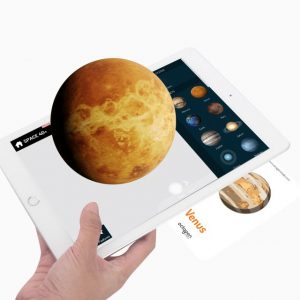
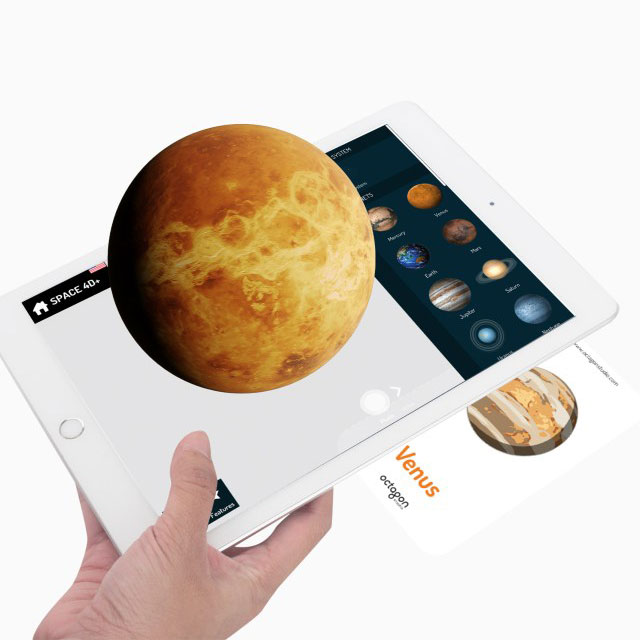
Space 4D+ by Octagon Studio is an AR space app that allows learners to scan printed space cards and witness the space comes to life with the augmented reality technology!
Learners will learn interesting and informative facts in AR mode about the solar system, the planets, the space objects, the satellites, the rovers, the space missions, etc.
This space 4D app brings a new way of seeing space in Augmented Reality. It gives an unforgettable experience and will always leave a smile on the faces of children and adults alike.
How Does This AR Space App work?
Instructions
1. Download Space 4D+ app from the App Store and Play Store
2. Open the app
3. Place the card on a surface and scan it with your device’s camera
4. Input the serial number in the pop up serial box
5. After the authorization is completed, you can directly see the images come alive!
Flashcards’ Specifications
- Language: English
- Cards: 27 pieces (26 Space Cards + 1 Instructions Card)
- Weight: 90 grams | 0.19 lbs
- Dimension: 11.7 cm x 7.2 cm x 1.1 cm | 4.6 inch x 2.8 inch x 0.4 inch
- Paper Finish: Durable Thick Art Paper (Doff Laminated)
Space 4D App Details
- Platform: iOS | Android
- Age: 4+
- App Size: 246.3 MB (iOS) | 83 MB (Android)
- Min OS: iOS 7.0 | Android 4.0.3 (Ice Cream Sandwich)
- Languages: English (US), English (UK), Turkish, Korean, Arabic, Persian, French, Hebrew, Japanese, Spanish, Thai, German, Mandarin, Bahasa Indonesia, Italian, Russian, Dutch, Portuguese
Lesson Plan, Case Studies, and Brochure
- Lesson plan:
- Case studies:
- Brochure:
Get the flashcards
Order your flashcards here: https://technologyeduc.com/product/space-4d/
Samples of AR Space Flashcards
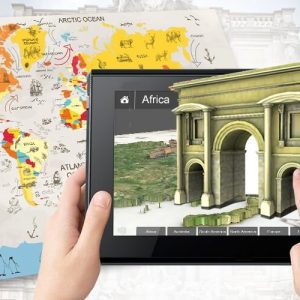
Download the Space 4D app, scan the samples below, and enjoy this AR space app experience!

References
Visit our shop
Apr 29, 2018
What is Virtuali-Tee?
Virtuali-Tee is an augmented reality t-shirt that reveals the virtual organs of its wearer. Simply download the app and point your phone at the t-shirt to discover the world under your skin. Use it in your classroom to bring learning to life! It couldn’t be easier to implement it into your lesson and will transform the way you teach to get that wow moment every time.
How Does it Work?
Where to Buy the AR T-Shirt?
The AR t-shirt is available for purchase here.
How to Download the App?
The app is free to download from Google’s Play Store or Apple’s App Store depending on your device. Simply search ‘Virtuali-Tee’ to find the app and click ‘install’.
Please ensure your device’s compatibility by testing it here. When you test the app on the demo page you may be prompted for an in-app purchase – just ignore this prompt as when you receive and scan your AR t-shirt it will automatically unlock this.
How to use the Virtuali-Tee App?
Once the virtuali-tee app is downloaded please ensure you have allowed camera access as it is required to scan the AR t-shirt.
Put on your Virtuali-Tee, get a student to wear it or even pop on a skeleton. Open the app and point your device’s camera at it. For best results stand about 3 feet away from the AR t-shirt. If the camera doesn’t detect and scan it, try bringing your device closer and then slowly pulling it away.
Once the app has scanned the Virtuali-Tee, tap anywhere on the screen to peel back the layers of the body and interact with the different systems and organs by clicking on the hotspots.
The app works in selfie mode, so a student wearing the t-shirt can use the front camera to explore the internal systems on themselves. Activate this by clicking on the switch camera icon in the top right corner.
If you have a VR headset you can also activate VR mode by tapping on the VR goggles in the top right corner. The app is compatible with most cardboard headsets as long as they allow camera access. In VR mode hover the cursor over the hotspots in order to interact with the systems.
Hans Glover is the anatomy expert that will guide and talk you through all the different systems and organs. Tap the hand icon at the bottom to activate Hans.
How to Connect it on a Big Screen?
You can connect the app to a TV, projector, or Whiteboard through Airplay, Apple TV, or Chromecast. Simply plug your Chromecast or Apple TV into the projector and connect your device. You can find further information on how to connect your devices below.
iOS:
https://support.apple.com/en-gb/ht204289
https://support.apple.com/en-gb/apple-tv
Android:
https://support.google.com/chromecast/answer/6006232?hl=en-GB
References
Visit our shop
Aug 8, 2017
What is 3D Organon Anatomy?
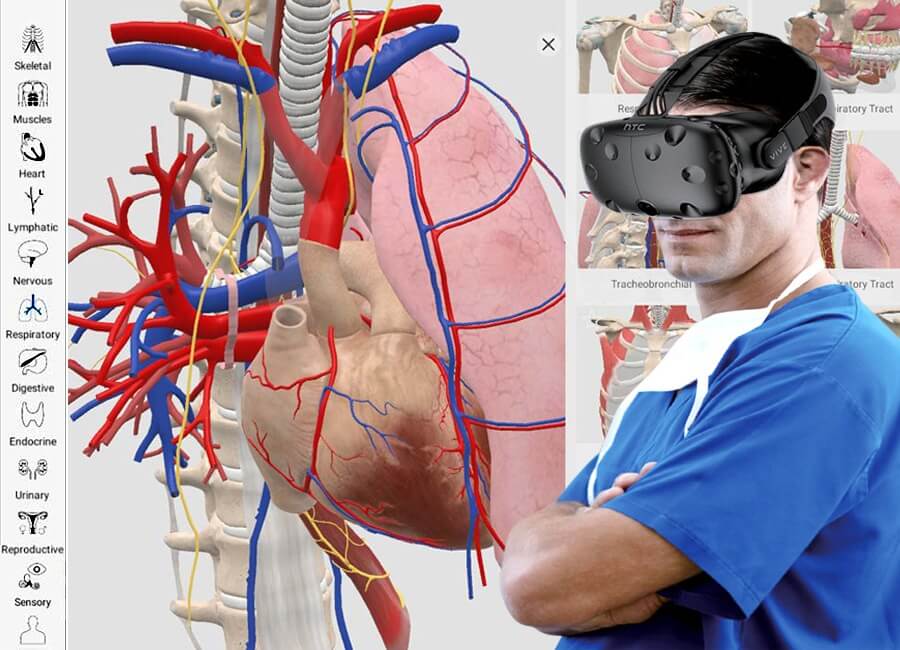
3D Organon VR Anatomy is an immersive self-discovery experience into the human body where learners can manipulate bones, muscles, vessels, organs, and other anatomical structures in 3D and examine them closely using the virtual reality technology. They will also delve into the body systems, peek under the skin to see what they are made of while reading or hearing anatomical terminology, and studying descriptive texts.
How to Use the 3D Organon VR Anatomy?
Delve into the Future
Organon’s multi-award-winning software platform facilitates accelerated learning and teaching in medical sciences and anatomy across desktop, mobile, and virtual reality devices.
Hands-on Remote Delivery
The multi-user and cross-platform module allow educators to deliver 3D anatomy sessions where students can interact via voice and text chat and will be able to follow the anatomy instruction in real-time.
References
Visit our shop
Feb 15, 2017
Integrating Technology in Sports Classes
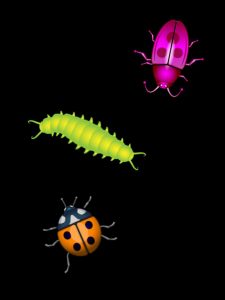
In the concept of integrating technology in sports classes, this virtual throwing activity was executed by Lindsay Dillon at West Elementary School using the Friskies JitterBug app. The game was projected from an iPhone using an Apple TV connected to the projector. Teachers controlled when the bugs blow up since it was projected on the wall and not on a touchable screen, but the kids didn’t have to know that and they loved the game!
How Do Kids Play this Game?
Download the Friskies JitterBug App
Download the App from Apple Store or from Google Play.
References
Visit our shop
Dec 5, 2016
What is Santa’s World App?
Santa’s World app is a Christmas app for kids that allows learners to help Santa and his elves make toys in the workshop, learn the alphabet, choose ornaments for the tree, and pack the toys for the sleigh! It is a fun Christmas-themed game that encourages learning through task-based activities.
How Does this Christmas App for Kids Work?
Santa’s World App Features
Dress Santa!
Help dress Santa for Christmas, you choose the outfit, hairstyle, hat, and mustache color! Every year is different, he needs your help to be ready for the sleigh.
Learn the Alphabet
As balloons shoot across the sky, pop them and discover what type of Christmas present they are holding. Every letter is a Christmas present, learn all the letters of the alphabet with this interesting Christmas app for kids!
Help the Elves in the workshop
The elves are on strict deadlines and need your help! Build toys for Christmas, choose the building tools, numbers, colors, and musical instruments for Santa’s Sleigh!
Prepare the Christmas tree for Santa
Make the Christmas tree perfect this year, there are countless types of ornaments and colored bulbs to help Santa make it beautiful. Match all the ornaments on the tree, can you match them all?
References
Visit our shop
Nov 22, 2014
What is Trace Your Name App?
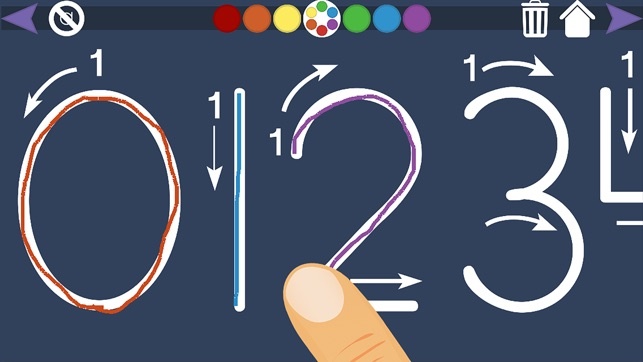
Trace Your Name app is a name tracing app geared towards children just learning to write their names. It allows them to trace their names over and over again. They can also practice writing the alphabet and numbers.
Once they have traced their name or the word on the screen, teachers can hide the guide letters and see how they did. As they get more advanced, teachers can switch off the letter arrows and just show the letter itself.
Features of this Name Tracing App
- Store up to 4 different names
- Practice tracing your name
- Practice tracing the alphabet
- Practice tracing numbers
- Show or hide letter guides
- Six different colors to draw with
- Supports both left and right-handed people
- Zoom in and out on larger names
References
Visit our shop




 In the concept of integrating technology in sports classes, this virtual throwing activity was executed by Lindsay Dillon at